


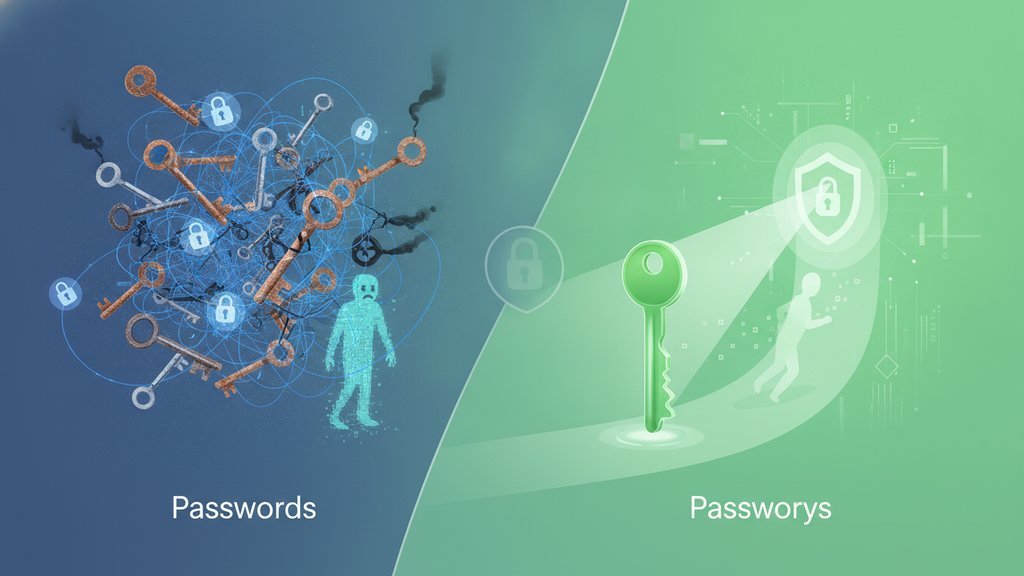
The core difference is simple: passwords are secrets you type and share with a server, while passkeys are cryptographic key pairs where the secret never leaves your device. In the passkeys vs passwords debate, that one change matters more than anything else, because a passkey can't be phished, guessed, leaked in a data breach, or reused across sites. You approve a login with your face, fingerprint, or device PIN, and the site only ever sees a public key that's useless to an attacker.
Content Table
How passwords actually work
When you create a password, the site stores a hashed version of it. When you log in, you send the password again, the server hashes it, and compares. This model has a built-in weakness: a shared secret has to travel and be stored somewhere, which means it can be intercepted, stolen from a database, or tricked out of you.
That's why the same handful of attacks keep working year after year:
- Data breaches: a leaked database exposes millions of hashed (sometimes plaintext) passwords at once.
- Reuse attacks: one stolen password unlocks every account where you used it. This is exactly why reusing passwords across sites is so catastrophic .
- Automated guessing: attackers throw stolen or common credentials at login forms, which is the heart of credential stuffing and brute force attacks .
- Phishing: a fake login page captures whatever you type.
How passkeys work under the hood
A passkey is built on public-key cryptography using the WebAuthn standard and the FIDO2 framework . When you register, your device generates two linked keys:
- A private key that stays locked on your phone, laptop, or hardware key and never gets sent anywhere.
- A public key that the website stores. On its own it can't log anyone in.
To sign in, the server sends a random challenge. Your device signs it with the private key after you unlock it (biometrics or PIN), and sends the signature back. The site verifies it against the public key. No secret is transmitted, so there's nothing to steal in transit or on the server.
What actually changes for your security
Here's the side-by-side of what shifts when you move from passwords to passwordless authentication:
| Threat | Passwords | Passkeys |
|---|---|---|
| Database breach | Hashes leak, then get cracked | Only public keys leak, useless alone |
| Phishing | Fake page captures the secret | Key is bound to the real domain, won't fire |
| Reuse | One leak cascades everywhere | Every passkey is unique per site |
| Guessing / stuffing | Weak or common passwords fall fast | Nothing to guess, no shared secret exists |
| Keyloggers | Typed secret gets recorded | Nothing is typed to capture |
The pattern is consistent: passkeys remove the shared secret, and most password attacks depend entirely on stealing that secret. Take it away and the attack has nothing to grab.
Why passkeys beat phishing
The strongest advantage of FIDO2 passkeys is built-in phishing resistance, and it's not just marketing. Each passkey is cryptographically tied to a specific website origin (its exact domain). When you registered a passkey for
google.com
, your browser will only offer that passkey to
google.com
.
So if you land on
g00gle-login.com
, the passkey simply won't activate. There's no field to type your password into a lookalike site, and no way to be tricked into handing over a credential, because the browser refuses to sign a challenge from the wrong origin. That domain binding is what makes passkeys one of the most effective ways to
prevent the credential-based attacks
that fool even careful users.
The trade-offs nobody mentions
Passkeys are a big upgrade, but they aren't magic. A few honest caveats:
- Device dependency: your passkey lives on a device. Lose access to all your synced devices with no recovery method, and you can be locked out. Cloud sync (Apple, Google, Microsoft) reduces this risk but ties you to that ecosystem.
- Account recovery is the new weak spot: if a service still lets you reset access with an email link or SMS code, attackers may target that fallback instead. The recovery path is only as strong as its weakest option.
- Sync security matters: synced passkeys are protected by your platform account, so that account's protection becomes critical.
- Sharing is different: passkeys aren't meant to be handed around like a password. For the times you genuinely need to pass a credential to someone, do it safely rather than over chat, as covered in how to share passwords securely .
One thing passkeys don't fix: an already-hijacked session. If malware steals a valid session token after you log in, the login method doesn't matter, which is why session hijacking protection stays relevant no matter what you use.
Should you switch right now
Yes, wherever it's offered, and here's the practical approach:
- Enable passkeys on your highest-value accounts first: email, banking, and your primary platform accounts (Google, Apple, Microsoft).
- Keep a strong, unique password as a backup where the service still requires one, ideally generated rather than invented. A password generator helps for accounts that aren't passwordless yet.
- Register a passkey on more than one device so losing a single phone doesn't lock you out.
- Review the account's recovery settings and remove weak fallbacks like SMS where you can.
You don't have to go all-in overnight. Passwords and passkeys coexist fine during the transition, and every account you move to passwordless login is one fewer place a stolen or reused password can hurt you.

Still stuck with passwords? Make them unbreakable
Until every account supports passkeys vs passwords, you still need strong, unique credentials for the ones that don't. Generate long, random passwords that resist guessing and stuffing in seconds.
Generate a strong password →
Frequently asked questions
The private key stays locked on your device and is never transmitted, so it can't be stolen in a data breach or intercepted in transit. Attackers would need physical access to your unlocked device or control of your synced platform account, which is far harder than stealing a password.
If your passkeys sync through Apple, Google, or Microsoft, they restore automatically on a new device signed into that account. If you use device-only passkeys with no backup, you may need the account's recovery process. Registering a passkey on a second device is the safest habit.
Practically yes. Each passkey is bound to the exact website domain it was created for, so a lookalike phishing site can't trigger it. There's also no reusable secret to type into a fake page, which removes the mechanism traditional phishing relies on.
In effect, a passkey already combines two factors: something you have (the device holding the private key) and something you are or know (biometrics or a PIN). For most accounts a passkey replaces both the password and a separate 2FA step, though some services still offer extra layers.
Not yet. Many services still keep a password as a fallback, and removing it can lock you out if passkey recovery fails. Keep a strong, unique password as backup and only remove it once the service fully supports passkey-only access and reliable recovery.