



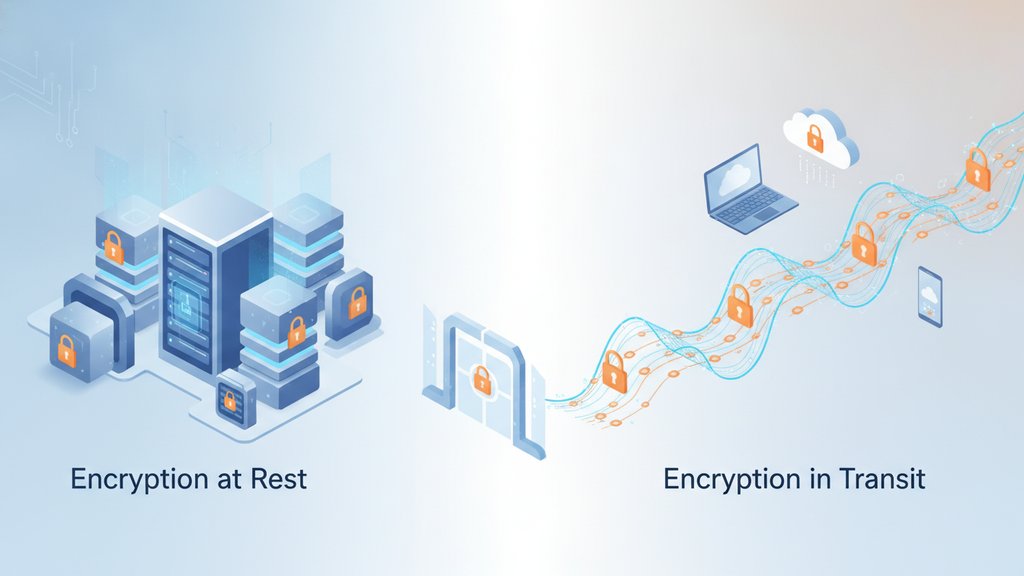
Encryption at rest vs in transit describes two distinct moments when your data can be protected: while it's sitting in storage, and while it's traveling across a network. These aren't competing approaches — they solve different problems, and a secure system needs both. Understanding the difference tells you exactly where your data is vulnerable and what kind of protection actually covers each gap.
Content Table
What Is Data at Rest
Data at rest is any data that isn't actively moving. That means files on a hard drive, database records on a server, backups on a cloud storage bucket, emails sitting in an inbox, or even a photo on your phone. The word "rest" just means the data is stored somewhere rather than being transmitted.
Storage encryption protects this data by scrambling it so that anyone who gains physical or remote access to the storage medium can't read it without the decryption key. A classic real-world example: if someone steals a laptop and pulls out the hard drive, full-disk encryption (like BitLocker on Windows or FileVault on macOS) means they get a pile of unreadable ciphertext instead of your files.
Common encryption standards used for data at rest:
- AES-256: The most widely used standard. Banks, cloud providers, and governments all use it. The "256" refers to the key length in bits.
- AES-128: Slightly faster, still considered secure for most use cases.
- ChaCha20: Common on mobile devices where AES hardware acceleration isn't available.
What Is Data in Transit
Data in transit (sometimes called data in motion) is data actively moving between two points: from your browser to a web server, between two apps, from a phone to a cloud API, or across any network connection. The moment you hit "send" on a message or load a webpage, data is in transit.
This is where transport security comes in. The most common mechanism is TLS (Transport Layer Security), which is what HTTPS uses. When you see the padlock icon in your browser, TLS is encrypting the connection between your device and the server so that anyone intercepting the traffic (on a public Wi-Fi network, for example) can't read it.
Data in transit encryption protects data from:
- Man-in-the-middle attacks, where an attacker positions themselves between sender and receiver
- Packet sniffing on shared networks (coffee shop Wi-Fi, corporate networks)
- ISP or government surveillance of network traffic
For a deeper look at how interception attacks actually work, see this breakdown of message interception attacks and how to prevent them.
How Each Type of Encryption Works
Storage Encryption (At Rest)
When you write a file to an encrypted disk, the operating system or application encrypts the data before it hits the storage medium. The key is usually derived from your login password or a hardware security module. When you read the file back, it's decrypted on the fly. The storage device itself only ever sees ciphertext.
Database-level encryption works similarly. A cloud database like AWS RDS can encrypt every row at rest using AES-256, so even if someone dumps the raw database files, they're unreadable without the key managed by AWS KMS (Key Management Service).
Transport Encryption (In Transit)
TLS works through a handshake. When your browser connects to a server:
- The server sends its TLS certificate, which proves its identity and contains a public key.
- Your browser verifies the certificate against a trusted Certificate Authority (CA).
- Both sides negotiate a session key using asymmetric cryptography (RSA or ECDH).
- All subsequent data is encrypted with that session key using a fast symmetric cipher like AES-GCM or ChaCha20-Poly1305.
The session key is temporary and unique to each connection. Even if an attacker records the encrypted traffic, they can't decrypt it later without that ephemeral key (this property is called forward secrecy).
For a full technical breakdown of these algorithms, the Advanced Encryption Guide covering AES, RSA, ECC, and post-quantum cryptography goes deep on how each cipher actually works.
Key Differences Side by Side
| Attribute | Encryption at Rest | Encryption in Transit |
|---|---|---|
| When it applies | Data stored on disk, database, or backup | Data moving across a network |
| What it protects against | Physical theft, unauthorized server access, data breaches | Interception, eavesdropping, man-in-the-middle attacks |
| Common standards | AES-256, AES-128, ChaCha20 | TLS 1.2/1.3, HTTPS, DTLS (for UDP) |
| Key management | Persistent keys (KMS, HSM, password-derived) | Ephemeral session keys per connection |
| Who typically controls it | Storage provider or application | Both endpoints negotiate it automatically |
| Visible to service provider? | Often yes, if they hold the key | Yes, at the endpoint (data is decrypted on arrival) |
What About Data in Use
There's a third state that often gets left out of the conversation: data in use. This is data that's actively being processed by a CPU — loaded into RAM, being computed on, or displayed on screen. Traditional encryption can't protect data while it's in use because the processor needs to work with plaintext.
Emerging technologies are trying to close this gap:
- Confidential Computing: Hardware-level trusted execution environments (TEEs) like Intel SGX or AMD SEV that encrypt data even in RAM, so even the cloud provider's hypervisor can't read it.
- Homomorphic Encryption: Allows computation directly on encrypted data without decrypting it first. Still largely experimental and computationally expensive, but IBM and others are actively developing it for specific use cases.
- Zero-knowledge proofs: Let one party prove they know something without revealing the underlying data.
For most practical systems today, data in use is the weakest link. The best mitigation is minimizing how long data stays in memory and ensuring it's re-encrypted as quickly as possible after processing.
Where Each Type Fails
Encryption at Rest Fails When...
- The service provider holds the encryption key (they can read your data, or hand it to authorities)
- Keys are stored alongside the encrypted data (like locking a safe and leaving the key on top of it)
- A logged-in attacker accesses the system while data is already decrypted in memory
- Backup files are encrypted but the keys are not backed up separately (data loss risk)
Encryption in Transit Fails When...
- TLS certificates are misconfigured or expired, allowing downgrade attacks
- The endpoint itself is compromised (TLS protects the pipe, not the destination)
- Older TLS versions (1.0, 1.1) are still supported, enabling known exploits
- Certificate pinning is absent, making apps vulnerable to rogue CA certificates
End-to-End Protection: Combining Both
True end-to-end protection means data is encrypted before it leaves the sender's device and only decrypted on the recipient's device. The server in the middle stores only ciphertext and never sees the plaintext or the key. This combines the benefits of both approaches and adds a critical extra layer: even the service provider can't read your data.
This architecture is called zero-knowledge encryption . The service literally has zero knowledge of your content. If you want to understand exactly how that works and why it matters for privacy, the guide on zero-knowledge encryption and what it means for your private data explains it clearly.
A practical implementation: a tool like SecretNote generates the encryption key entirely in your browser using the Web Crypto API, encrypts your message with AES-256-GCM before sending anything to the server, and embeds the decryption key in the URL fragment (the part after the
#
). Browsers never include the URL fragment in HTTP requests, so the server receives the encrypted payload but never the key. That's both transit encryption (HTTPS protects the upload) and rest encryption (the server only stores ciphertext) working together, with neither the server nor any eavesdropper able to read the content.
For a broader look at how well this approach holds up in practice, the analysis of how safe end-to-end encryption actually is covers the real-world attack surface honestly.

Share files with encryption at rest AND in transit
SecretNote's secret file tool encrypts your files entirely in the browser before they ever reach the server, so your data is protected both in transit and at rest — and the server never holds the key. It's the practical application of everything covered in this encryption at rest vs in transit breakdown.
Share a Secret File →
No. HTTPS (TLS) only protects data while it's traveling between your browser and the server. Once the data arrives, TLS's job is done. What happens to the data on the server — whether it's stored encrypted or in plaintext — is entirely separate. You need storage encryption on the server side to cover data at rest. HTTPS and storage encryption are complementary, not interchangeable.
It depends on who holds the key. If your cloud provider manages the encryption keys (the default for most services like Google Drive or Dropbox), they can technically decrypt your data and may be required to hand it over under a legal order. If you manage your own keys (customer-managed keys, or client-side encryption), the provider stores only ciphertext and cannot read it. Zero-knowledge encryption takes this further by ensuring the key never reaches the provider at all.
TLS encrypts the connection between your device and a server, but the server decrypts the data on arrival. End-to-end encryption (E2EE) means only the original sender and the final recipient can decrypt the data. The server in the middle handles only ciphertext and has no key. WhatsApp and Signal use E2EE for messages. Most standard email providers use TLS for transport but store messages in plaintext (or with provider-held keys) on their servers.
Yes, AES-256 appears in both contexts. For data at rest, it's commonly used in modes like AES-256-CBC or AES-256-GCM to encrypt stored files and databases. For data in transit, TLS 1.3 uses AES-256-GCM as one of its primary cipher suites for encrypting the session. The algorithm is the same; what differs is the key management, the mode of operation, and whether the key is ephemeral (transit) or persistent (rest).
This is the "data in use" gap. When data is loaded into RAM for processing, traditional encryption doesn't apply — the CPU needs plaintext to work with. Technologies like Intel SGX (Software Guard Extensions) and AMD SEV create encrypted memory enclaves to address this, but they're not yet mainstream. For most applications, minimizing the time data spends unencrypted in memory and using trusted execution environments where possible are the best available mitigations.
GDPR (Article 32) requires "appropriate technical measures" to protect personal data, and encryption is explicitly mentioned as an example. Regulators and data protection authorities generally expect both transit encryption (TLS for any data transfer) and storage encryption for sensitive personal data at rest. Using only one is unlikely to satisfy a regulator's standard of care, especially following a breach. Many sector-specific frameworks (PCI-DSS, HIPAA) are even more explicit about requiring both.