

Sharing a private message with sensitive information is common - but risky. Whether you need to send a temporary password, share login credentials, or transmit secret data to a colleague, traditional tools like email or chat apps leave permanent traces. These traces can be intercepted, leaked, or discovered months later. Self-destructing messages offer a better way. This free online tool approach ensures your sensitive information vanishes after being read, leaving no digital footprint behind.
Content Table
Why Traditional Messaging Fails for Sensitive Data
Every day, millions of people share secret messages through email, Slack, WhatsApp, or SMS. Most do not realize the risks. These platforms store your messages on multiple servers - often forever. Your "private" conversation typically exists in at least three places:
- Your device
- The recipient's device
- The service provider's servers
Here is why that creates real danger for sensitive data:
- Permanent storage: Emails with login credentials stay searchable in inboxes for years
- Multiple access points: IT admins, hackers, and former employees may access archived messages
- Legal discovery: Stored messages can be subpoenaed in legal proceedings
- Account compromises: If someone breaks into an email account, they can see the full history
The core problem is simple. Once you send a traditional message, you lose control over it. You cannot guarantee deletion. You have no way to verify the information was destroyed after use. Self-destructing private message tools solve this problem directly. Learn more about how to keep your private messages truly secure.
How Self-Destructing Private Messages Work
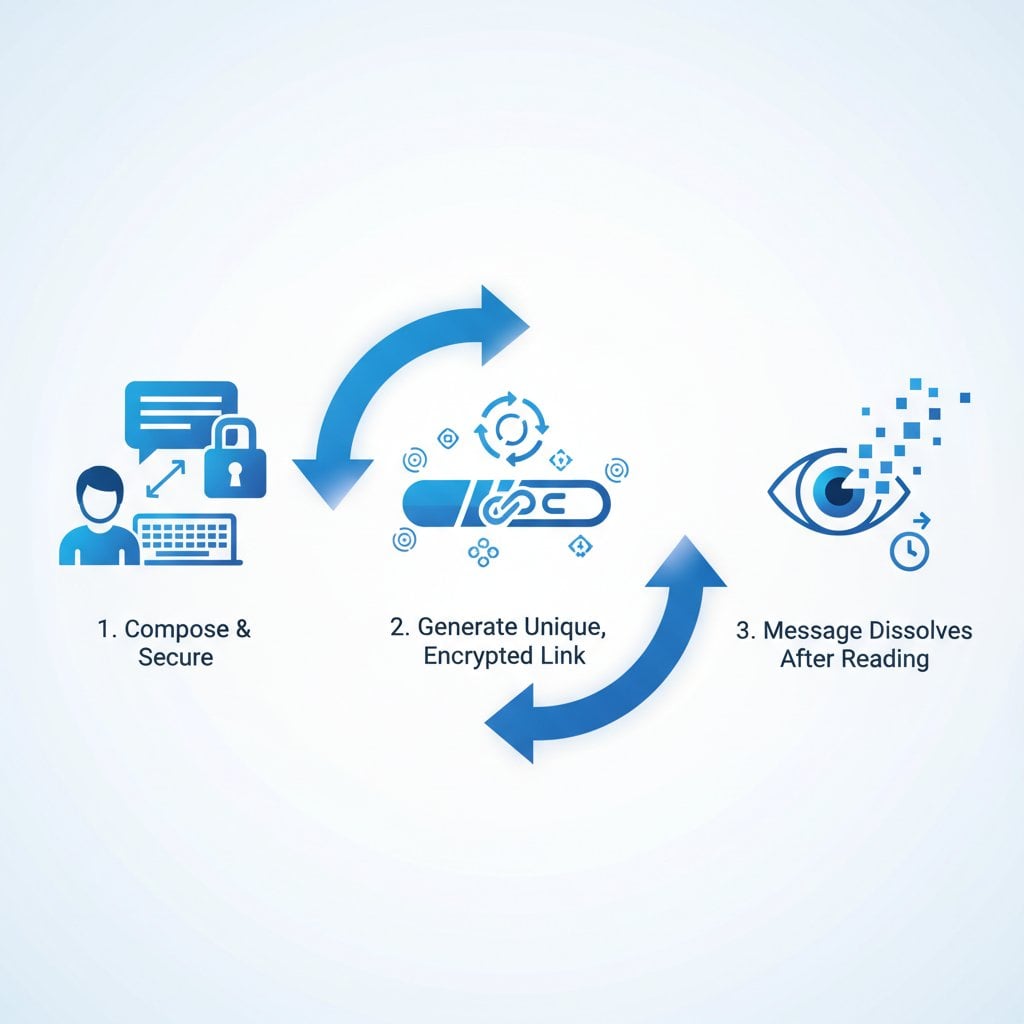
Self-destructing message tools work differently from traditional messaging. Instead of storing your message permanently, they create a unique, one-time link. That link automatically destroys the content after it has been viewed.
Here is how the process works, step by step:
- Client-side encryption: Your message is encrypted in your browser before it is sent
- Unique link generation: The system creates a one-time URL that contains the decryption key
- Secure storage: The encrypted message is stored temporarily on the server
- Single-view access: The recipient opens the link and sees the message once
- Automatic destruction: The message is permanently deleted after viewing
This approach solves the core problem of secret data transmission. Even if someone intercepts the link after it has been used, they find nothing. The message no longer exists. For a deeper look at the encryption methods involved, read our Advanced Encryption Guide covering AES, RSA, ECC and Post-Quantum Cryptography.
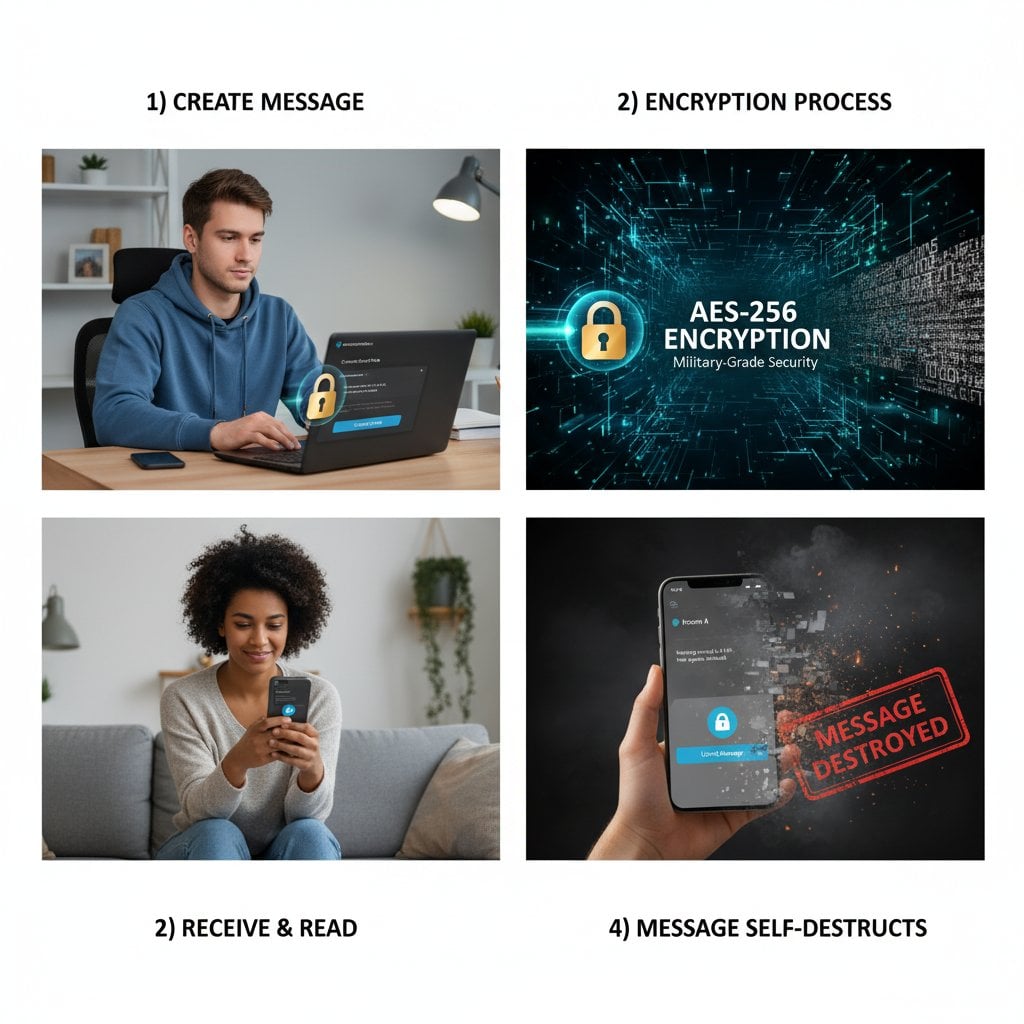
Technical Note: Modern self-destructing message tools use AES-256 encryption. This is the same standard used by governments and financial institutions worldwide. Even if data were intercepted during transmission, it would be practically impossible to decrypt without the unique key.
Step-by-Step Guide to Sending Secure Messages
Using a free online tool to send self-destructing messages is simple. No technical expertise is needed. Follow these steps to share your secret messages safely:
Step 1: Prepare Your Sensitive Information
Before creating your private message, gather the information you need to share. Common examples include:
- Temporary passwords or API keys
- Secret login credentials for shared accounts
- Confidential business or financial data
- Personal identification numbers or security codes
Step 2: Access the Secure Message Tool
Go to our secure messaging platform. No account registration is needed. That means no personal data is collected or stored about you.
Step 3: Compose and Encrypt Your Message
Type or paste your sensitive content into the message field. Encryption happens automatically in your browser. Keep these tips in mind:
- Include only the essential information
- Add context so the recipient understands the purpose
- Mention any time-sensitive requirements
Step 4: Configure Security Options
Choose the security settings that fit your needs:
- Expiration time: Set a deadline after which the unread message self-destructs
- Password protection: Add an extra layer with a separate password
- View notification: Get a confirmation when the message is opened
Step 5: Generate and Share the Link
Click generate to create your unique, one-time link. Copy the link and share it with your recipient through your preferred channel. The link itself contains no readable information about the message content.
Step 6: Confirm Destruction
After the recipient views the message, the content is permanently deleted. If you enabled notifications, you will receive confirmation that the message was delivered and destroyed.
Real-World Use Cases
Self-destructing private messages are useful in many situations. Here are the most common scenarios where they solve real problems:
Use Case 1: IT Credential Sharing
System administrators often need to share login credentials with new employees or contractors. Emailing passwords leaves them in sent and received folders forever. A self-destructing message ensures the credentials exist only long enough for the recipient to use them.
Practical tip: Remind the recipient to save the credentials locally before the message disappears.
Use Case 2: Financial Information Transfer
Accountants, lawyers, and financial advisors often need to send sensitive client data. Bank account numbers, tax IDs, and investment details all require secure transmission. Self-destructing messages leave no digital trail.
Use Case 3: Healthcare Communications
Medical professionals sharing patient information must follow strict privacy rules. Self-destructing messages work well for quick, necessary communications that should not be permanently stored. Note: they do not replace HIPAA-compliant systems for official records.
Use Case 4: Personal Privacy Protection
Sharing a WiFi password, security code, or account access with a family member? A self-destructing message prevents that information from being found later if a device is lost, stolen, or accessed by someone else.
Learn more in our article on what are one-time secret links.
Key Takeaways:
- Traditional messaging stores sensitive data permanently across multiple servers
- Self-destructing messages use client-side encryption and automatic deletion to remove digital traces
- No registration is required, so no personal data is collected about you
- Use cases range from IT credential sharing to financial transfers and personal privacy
Hypothetical Case Study: Marketing Agency Credential Sharing
Note: This is a hypothetical example created to illustrate practical application. It does not represent a real company or actual events.
The Situation
Imagine a digital marketing agency called "BrightPath Marketing." They have 25 employees managing accounts for 40 clients. Each client relationship involves multiple login credentials - social media accounts, Google Analytics, ad platforms, and content management systems.
The Problem
The agency previously shared credentials through email, Slack, and shared spreadsheets. This caused several issues:
- Former employees still had access to old emails with client credentials
- One compromised email account exposed dozens of client logins
- No way to check whether old shared credentials were still accessible
- Clients were concerned about their data being stored in multiple places
The Solution
BrightPath introduced a policy requiring all credential sharing to use self-destructing private messages. The process looked like this:
- When onboarding a new client, the account manager creates a self-destructing message with the initial credentials
- The unique link is shared through the agency's project management system
- The team member saves the credentials to the agency's password manager
- The original message automatically deletes after viewing
The Results
After adopting this approach, the hypothetical agency would see these benefits:
- No credentials left behind in email archives
- Simpler offboarding - no need to search old messages for shared credentials
- Greater client confidence in how their data is handled
- Lower risk from potential email account breaches
Best Practices for Maximum Security
Self-destructing messages offer strong protection. Following these best practices makes them even more secure:
Separate the Link and Context
Never send the self-destructing link and an explanation of its contents through the same channel. For example, send the link by email but notify the recipient by text message. This way, intercepting one channel is not enough to gain access.
Use Password Protection for Critical Data
For highly sensitive data, enable password protection on your message. Share the password through a different channel than the link. This two-step approach means intercepting either piece alone gives no access.
Set Appropriate Expiration Times
Choose an expiration time that fits the situation. A temporary password does not need to stay available for a week. Shorter expiration windows reduce the risk of unauthorized access.
Verify Recipient Identity
Before sharing secret login credentials, confirm you are talking to the right person. A quick phone call or video chat can prevent social engineering attacks where someone impersonates a colleague.
For more security guidance, explore our privacy best practices for digital communication.
Conclusion
Protecting sensitive information online takes more than good intentions. It requires the right tools. Self-destructing private messages solve the core problem of permanent data storage. Your secret messages, login credentials, and confidential data exist only as long as necessary - then they are gone.
Client-side encryption, one-time links, and automatic deletion work together to leave no traces. There is nothing for hackers, unauthorized employees, or legal discovery to find. Whether you are sharing login details with a colleague or sending sensitive data to a client, self-destructing messages offer security that traditional channels simply cannot match.
Ready to share your sensitive information safely? Try our free secure messaging tool and experience truly private communication.